Creative Coding
Introduction to Interactive Video with Jitter In Max
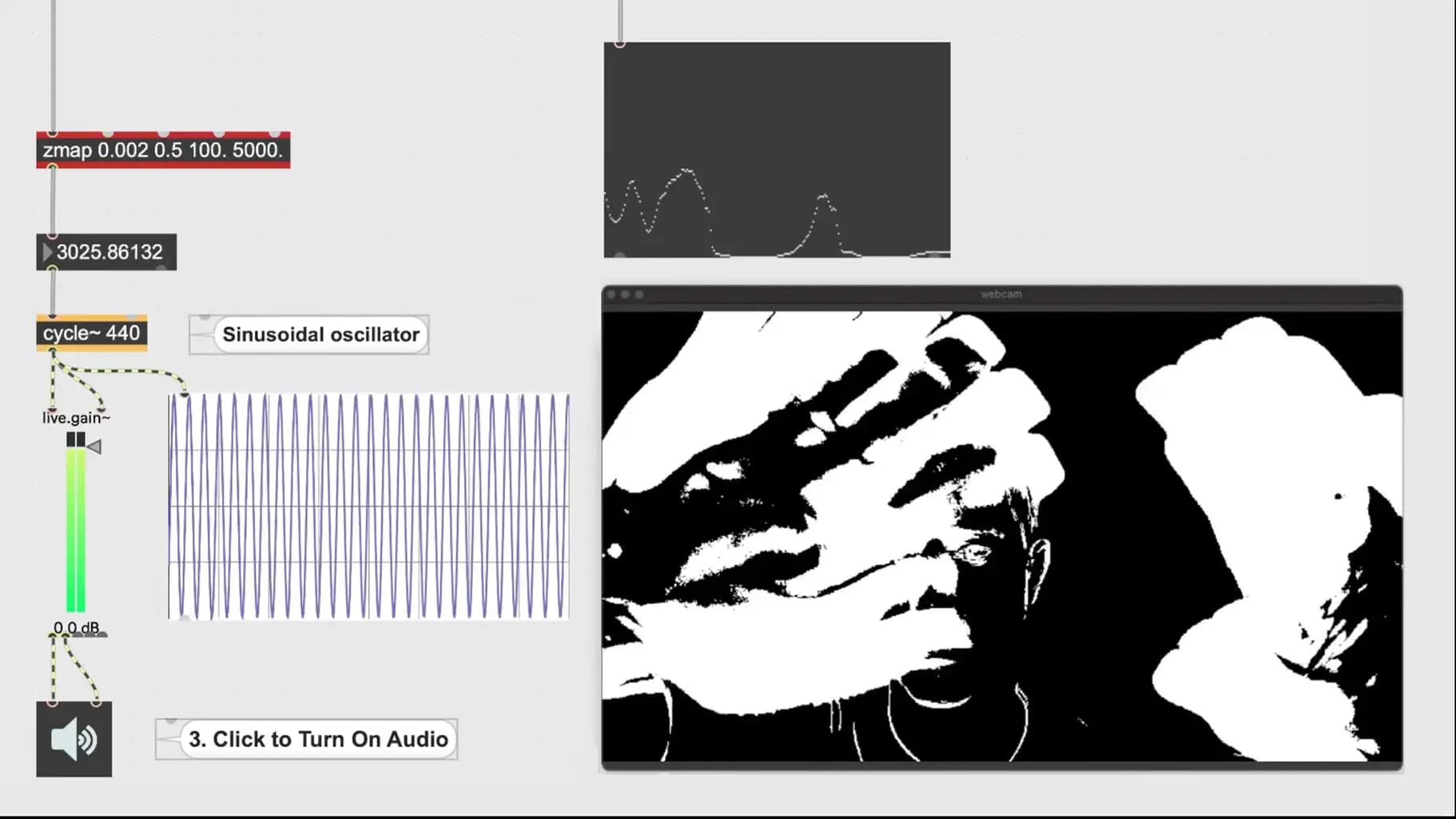
Create interactive video in Max using Jitter: grab webcam input, build motion detection with frame differencing and matrix operations, then map movement to audio, oscillators and video playback.
Course overview
In this workshop you will continue to explore interactive systems in Max. This workshop aims to provide beginners to Max the suitable skills to further explore working interactively with audio and visual patches in the Max environment, in the context of creative exploration and performance. This is part three of a series of three workshops looking at interactivity in Max. You will build an interactive audio recorder and utilize audio signals to control video. No additional hardware and no experience with Max is required but it is recommended that you have taken the free “Getting Started with Max” and “Getting Started with Interactivity in Max” on-demand courses. It is also recommended that you have taken part two “An Introduction to Interactive Audio in Max”.
Learning outcomes
Build a video theremin
Utilize webcam motion tracking to trigger audio and video
Further explore interactive patches in a creative way
Who is this course for?
- • Sound designers looking to build interactive video patches
- • Creative technologists interested in interactive video and audio exploration and performance
Requirements
- • A computer and internet connection
- • Access to a copy of Max 8 (i.e. trial or full license)
Course content
Course Material
1 resource
+
Course Material
1 resource
- Course Patches and Documents
Introduction to Interactive Video with Jitter in Max
25 videos
+
Introduction to Interactive Video with Jitter in Max
25 videos
1. Introduction
Checking access...2. Using a Webcam with jit.grab
Checking access...3. Possible Webcam Bug
Checking access...4. Motion Detection Subpatcher (The Hard Stuff)
Checking access...5. What is a Matrix in Jitter_
Checking access...6. How to Convert a jit.matrix to a Different Datatype
Checking access...7. Using Frame Differencing to Detect Change with jit.op
Checking access...8. Filtering Changing Pixels
Checking access...9. How to Smooth Matrix Data with jit.slide _ slide object
Checking access...10. How your Presentation Environment Affects your Webcam Data
Checking access...11. Question_ Elaborate on Multiple jit.op objects
Checking access...13. Get an Average of All Pixel Values in a Matrix with jit.3m
Checking access...14. Map Motion From a Webcam to Anything! (The Fun Stuff)
Checking access...15. Make an Oscillator with cycle~ Object
Checking access...16. How to Connect Motion Detection to Oscillator Frequency
Checking access...17. Remapping a Range of Values with zmap and sclae Objects
Checking access...18. Using preset Object to Store Calibrations
Checking access...19. HOWT~1
Checking access...20. Test_ Can You Map Motion to Playback Speed of an Audio File_
Checking access...21. Answer_ Mapping Motion to Speed of Audio File
Checking access...22. How to Trigger a Video File with Motion
Checking access...23. Strange Issue (U sing jit.pwindow instead of jit.world)
Checking access...24. Analog Input Logic to Digital Event
Checking access...25. Closing Remarks and Other Computer Vision Tools
Checking access...26. Thank you and Stay in Touch!
Checking access...
Instructors
Kyle Duffield
Kyle Duffield is a Toronto based Interactive and Experience Design Professional who creates immersive interactive installations and brand activations. He is also known for his affiliation with the studio and former gallery, Electric Perfume. As an educator, and technical consultant, he has facilitated interactive media workshops and projects with institutions across Canada, Shanghai, and online. Currently, Kyle is participating in Cycling 74’s Max Certified Trainer Program, and is focusing on creating unforgettable technological experiences. http://www.kyleduffield.com http://www.electricperfume.com