Creativity with Max: Exploring Synthesis, Data, and Interactive Design hero

Course template / hosted architecture draft

Creativity with Max: Exploring Synthesis, Data, and Interactive Design

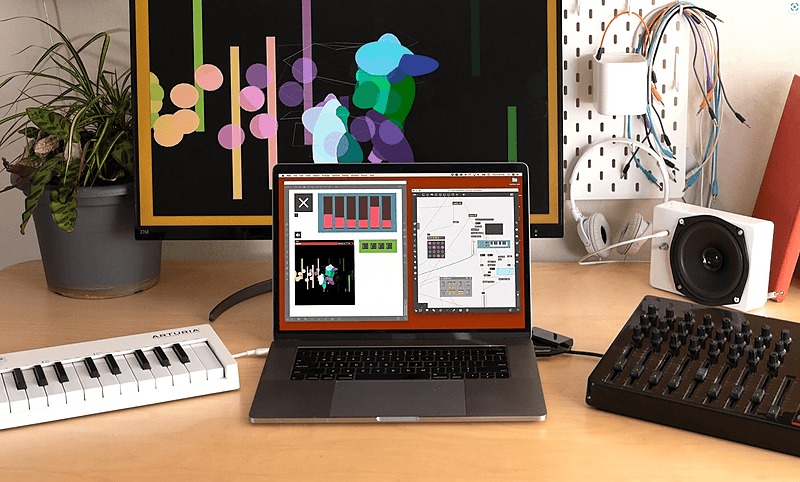
Max for Live is the most complete software for audio/visual professionals to build patches suitable for installation, experimental music, live lighting, and the web. If you can imagine it, you can build it. Taught by Music Ableton & Max Certified Trainer and industry expert Phelan Kane the course provides the latest skills, techniques and insight into creati

Level

Level 3

Duration

Format

Course overview

Learn Max For Live is a 6-week course of 12 live online classes, taught by Music Hackspace tutor, Ableton & Max Certified Trainer Phelan Kane. The course provides the necessary latest skills, techniques and first-hand industry insight into the methodology, workflow and tips and tricks to create unique devices and patches in Max For Live. With these tools you can create novel devices / plug-ins that no one else has access to which will empower you to create unique electronic music and create a novel artistic voice. The online course will consist of:
  • 12 x 2hr live online classes
  • All classes recorded for student use (during the course only)
  • Interactive group challenges & exercises
  • Music Hackspace Graduate Certificate of Excellence
  • 50% discount on your first year subscription to Music Hackspace
What Will I Get From This Course?
  • To provide a solid understanding of the basic concepts of using Max For Live for electronic music production
  • To exercise musical creativity via self built software devices
Learning Outcomes: On completion of this course a successful student will be able to:
  • Build unique devices within Max For Live, with an emphasis on musical creativity
  • Showcase a basic understanding of software device development with Max For Live
Who is this course for?

  • Musicians wanting to integrate custom interactive effects in Ableton Live
  • Interactive artists working with Max and Live
  • Max users looking to build and sell Max for Live devices

Requirements

  • A computer and internet connection
  • A web cam and mic
  • A Zoom account
  • Access to a copy of Ableton Live Suite (i.e. trial or full license. Max For Live is included in Suite)

Course content

Session 1

Session 1: Introduction to Constructing Devices

Recap: M4L vs Max · Presentation Mode · Encapsulation

+

Session 2

Session 2: Working with MIDI Effects

MIDI In M4L · Max MIDI Effects · Exercise: Building a MIDI FX sequencer in M4L

+

Session 3

Session 3: Working with data

Connecting data sources to Max · Filtering and managing data · Exercise: Sonify Data

+

Session 4

Session 4: Building Max Synthesis Instruments

Oscillators · Envelope Generators · Basic Filters

+

Session 5

Session 5: Building Max Synthesis Instruments part 2

Subtractive Poly Synth Build Methodology · Additive Osc Bank Build Methodology · Classic Wavetable Build Methodology

+

Session 6

Session 6: Max Sampling Instruments

Samplers in Max · Triggering Wave Samplers · Triggering Groove Samplers

+

Session 7

Session 7: Max Audio Effects

Audio FX in M4L · Dub Delay Build Methodology · Chorus Build Methodology

+

Session 8

Session 8: Using Javascript v8 and Code Blocks

Introduce text based coding in Max · Using code blocks to optimise patches · Exercise: Optimise Project with Code Blocks

+

Session 9

Session 9: Working with ABL Objects

Ableton Sound for Max - Reuse powerful signal processing objects · Exercise:: Build custom chains for Max and Max for Live

+

Session 10

Session 10: Enhancing Your Device & Deliverables

BPatchers · Styles · Help and Info View

+

Session 11

Session 11: The LOM and the Live API

Intro to The Live Object Model · Live Object Properties · Live Object Functions

+

Session 12

Session 12: Summary & Presentation

Finalising devices · Distributing devices · Exercise: Student work presentation

+

Session materials

Session 1: Introduction to Constructing Devices

Recap: M4L vs Max

Open resource

Session 1: Introduction to Constructing Devices

Presentation Mode

Open resource

Session 1: Introduction to Constructing Devices

Encapsulation

Open resource

Session 1: Introduction to Constructing Devices

Exercise: Managing Patches In M4L

Open resource

Session 1: Introduction to Constructing Devices

1:1 01 Max Vs M4L

Open resource

Session 1: Introduction to Constructing Devices

1:1 02 Beginning To Build A M4L Device

Open resource

Session 1: Introduction to Constructing Devices

1.1: 03 Saving M4L Devices

Open resource

Session 1: Introduction to Constructing Devices

1.1 04 Additional Learning Resources

Open resource

Session 1: Introduction to Constructing Devices

1.1 05 Presentation Mode.mp4

Open resource

Session 1: Introduction to Constructing Devices

1.1 06 Encapsulation.mp4

Open resource

Session 1: Introduction to Constructing Devices

1.1 .07 Abstractions.mp4

Open resource

Session 1: Introduction to Constructing Devices

1.1 08 Using Comments.mp4

Open resource

Session 1: Introduction to Constructing Devices

1.1 09 Data Management.mp4

Open resource

Session 2: Working with MIDI Effects

Max MIDI Effects

Open resource

Session 2: Working with MIDI Effects

Exercise: Building a MIDI FX sequencer in M4L

Open resource

Session 2: Working with MIDI Effects

1. Introduction to MIDI Notes

Open resource

Session 2: Working with MIDI Effects

2. MIDI Messages, Transposition, and Octaves

Open resource

Session 2: Working with MIDI Effects

3. Generating Random Scale Notes

Open resource

Session 2: Working with MIDI Effects

4. Timing and MIDI Effects

Open resource

Session 2: Working with MIDI Effects

5. Implementing a M4L Version

Open resource

Session 3: Working with data

Connecting data sources to Max

Open resource

Session 3: Working with data

Filtering and managing data

Open resource

Session 4: Building Max Synthesis Instruments

Oscillators

Open resource

Session 4: Building Max Synthesis Instruments

Envelope Generators

Open resource

Session 4: Building Max Synthesis Instruments

Basic Filters

Open resource

Session 4: Building Max Synthesis Instruments

Exercise: Building Max Synthesis Instruments

Open resource

Session 4: Building Max Synthesis Instruments

1. Introduction to Oscillators

Open resource

Session 4: Building Max Synthesis Instruments

2. MIDI input for Synths

Open resource

Session 4: Building Max Synthesis Instruments

3. M4L Device Design

Open resource

Session 4: Building Max Synthesis Instruments

4. Understanding Amplitude Envelopes

Open resource

Session 4: Building Max Synthesis Instruments

5. Implementing Filters in Synths

Open resource

Session 4: Building Max Synthesis Instruments

6. Working with LFOs _ A Final Mono Synth

Open resource

Session 5: Building Max Synthesis Instruments part 2

Subtractive Poly Synth Build Methodology

Open resource

Session 5: Building Max Synthesis Instruments part 2

Additive Osc Bank Build Methodology

Open resource

Session 5: Building Max Synthesis Instruments part 2

Classic Wavetable Build Methodology

Open resource

Session 5: Building Max Synthesis Instruments part 2

Exercise: Building Max Synthesis Instruments 2

Open resource

Session 6: Max Sampling Instruments

Triggering Wave Samplers

Open resource

Session 6: Max Sampling Instruments

Triggering Groove Samplers

Open resource

Session 6: Max Sampling Instruments

Exercise: Building Max Sampling Instruments

Open resource

Session 7: Max Audio Effects

Dub Delay Build Methodology

Open resource

Session 7: Max Audio Effects

Chorus Build Methodology

Open resource

Session 7: Max Audio Effects

Exercise: Building Max Audio Effects

Open resource

Session 8: Using Javascript v8 and Code Blocks

Introduce text based coding in Max

Open resource

Session 8: Using Javascript v8 and Code Blocks

Using code blocks to optimise patches

Open resource

Session 8: Using Javascript v8 and Code Blocks

Exercise: Optimise Project with Code Blocks

Open resource

Session 9: Working with ABL Objects

Ableton Sound for Max - Reuse powerful signal processing objects

Open resource

Session 9: Working with ABL Objects

Exercise:: Build custom chains for Max and Max for Live

Open resource

Session 10: Enhancing Your Device & Deliverables

BPatchers

Open resource

Session 10: Enhancing Your Device & Deliverables

Styles

Open resource

Session 10: Enhancing Your Device & Deliverables

Help and Info View

Open resource

Session 10: Enhancing Your Device & Deliverables

Exercise: Deliverables

Open resource

Session 11: The LOM and the Live API

Intro to The Live Object Model

Open resource

Session 11: The LOM and the Live API

Live Object Properties

Open resource

Session 11: The LOM and the Live API

Live Object Functions

Open resource

Session 11: The LOM and the Live API

Exercise: Using the LOM

Open resource

Session 12: Summary & Presentation

Finalising devices

Open resource

Session 12: Summary & Presentation

Distributing devices

Open resource

Session 12: Summary & Presentation

Exercise: Student work presentation

Open resource

Session 12: Summary & Presentation

Exercise: Peer feedback on student work

Open resource

Instructors

Phelan Kane and Umut Eldem

Phelan Kane and Umut Eldem

Instructor

Phelan Kane is a Berlin- and London-based music producer, engineer, and educator with over 30 years in the industry. He has collaborated with artists like Radiohead, Depeche Mode, and Moby. As an Ableton Certified Trainer since 2008 and a Max Certified Trainer since 2021, Phelan specializes in sound design, synthesis, and audio processing. He leads Meta Function, an audio software company known for innovative Max for Live devices. Umut Eldem is a composer, pianist, and researcher specialising in generative and intersensory art using Max/MSP. His work explores audiovisual spaces through algorithms that combine various interdisciplinary systems. Umut holds degrees in composition from Mimar Sinan State Conservatory in Istanbul and the Royal Conservatoire of Antwerp, where he is currently a Ph.D. researcher and educator. As a Max Certified Trainer, he conducts workshops on creative coding and audiovisual design, emphasising accessibility and inspiring creative experimentation.