Who is this course for?
- ✓Aspiring visual and media artists who’d like to get started with TouchDesigner

Creative Coding
Led by Masha Rozhnova
Instructor
Get started learning interactive media with TouchDesigner and build your own visual effect content.
TouchDesigner is a powerful tool for creating live performances, installations, real time visuals and complex digital systems. In this series of workshops, you’ll learn the basic functioning of TD’s node-based workflow and how to use them to create media, use the data to manipulate content and how to organize and navigate your TouchDesigner networks.
1 resource, 1 lesson
Course Overview
Course Overview
3 videos, 3 resources
Discover the TouchDesigner interface
Discover the TouchDesigner interface
Log in to access session recordings
Discover the TouchDesigner interface
Discover the TouchDesigner interface
Log in to access session recordings
Discover the TouchDesigner interface
Discover the TouchDesigner interface
Log in to access session recordings
5 videos, 3 resources, 1 lesson
Surface operators and rendering
Surface operators and rendering
Log in to access session recordings
Surface operators and rendering
Surface operators and rendering
Log in to access session recordings
Surface operators and rendering
Log in to access session recordings
Surface operators and rendering
Log in to access session recordings
Surface operators and rendering
Log in to access session recordings
Surface operators and rendering
Surface operators and rendering
2 videos, 2 resources
Connect audio with TouchDesigner & Intro to Graphics Instancing
Connect audio with TouchDesigner & Intro to Graphics Instancing
Log in to access session recordings
Connect audio with TouchDesigner & Intro to Graphics Instancing
Connect audio with TouchDesigner & Intro to Graphics Instancing
Log in to access session recordings
3 videos, 3 resources, 1 lesson
More Instancing & Audio-reactive visuals
More Instancing & Audio-reactive visuals
Log in to access session recordings
More Instancing & Audio-reactive visuals
More Instancing & Audio-reactive visuals
Log in to access session recordings
More Instancing & Audio-reactive visuals
Log in to access session recordings
More Instancing & Audio-reactive visuals
More Instancing & Audio-reactive visuals
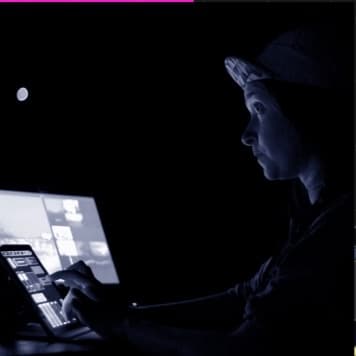
Instructor
Dancing Pixels (Masha Rozhnova) is a London based artist who creates audio-visual performances and videos for musicians. For the past three years she has been using TouchDesigner as the main tool for content creation, show control and as an engine to enable interaction with the audience. She performed at Live Performers Meeting in Rome, at New River studios and Crux events in London.