Getting started with cheat codes 2: A sample playground for monome norns - On demand hero

Creative Coding

Getting started with cheat codes 2: A sample playground for monome norns - On demand

Explore the cheat codes 2 sample playground on monome norns through guided experiments: defining loops, manipulating playback rate, shaping level, panning and filters, and sequencing with Euclidean patterns.

Level

Intermediate

Duration

37m of video content

Format

Self-paced video

Added

03/11/2021

Course overview

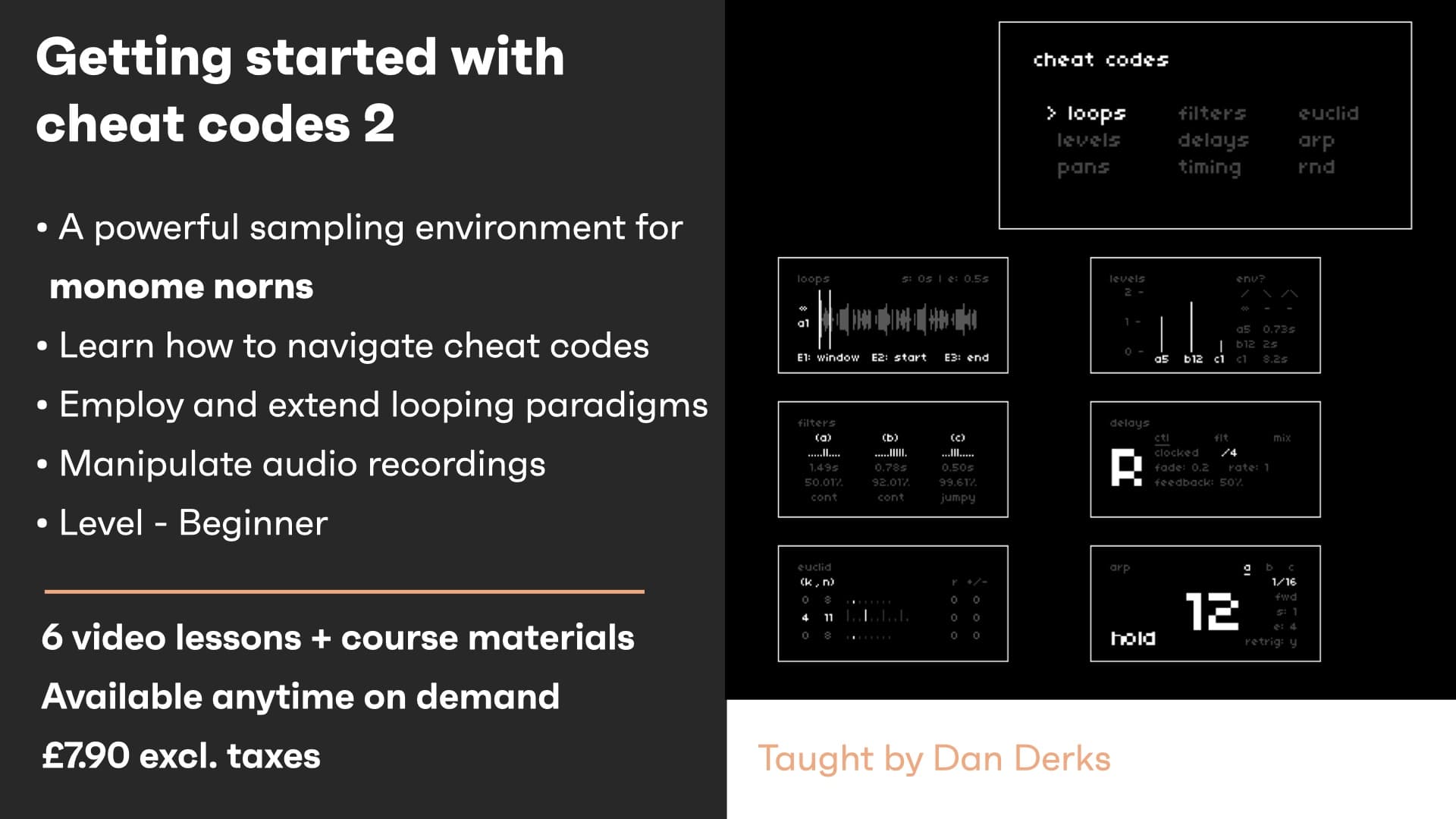
Cheat codes 2 is a sample playground built for monome norns to explore live and pre-recorded audio. It extends traditional slicing and looping workflows to create playful music-making experiences with exciting results. This workshop will introduce you to the script including recording audio and loading clips, building loops and slices, making adjustments to timbre and tonality, and exploring different methods for triggering and playback (with or without any external controllers).

Who is this course for?

  • • This course is aimed at people interested in deconstructing and manipulating audio recordings

Requirements

  • • A norns or norns shield running software 210114 or later, with cheat codes 2 installed
  • • Familiarity with connecting your norns to WiFi
  • • Familiarity with the basic functions of cheat codes 2
  • • Speakers, headphones or an audio interface
  • • Optional, for part 3 (control): a monome grid, USB MIDI keyboard or sequencer (e.g. KeyStep or OP-Z), a recent Launchpad (X, Pro or Mini mk3), or a MIDI Fighter Twister

Course content

Course Overview

1 resource, 2 lessons

+
  • what we'll cover in this workshop

    cheat codes 2 is a sample playground built for monome norns to explore live and pre-recorded audio. It extends traditional slicing and looping workflows to create playful music-making experiences with exciting results.

    This workshop will introduce you to the script including recording audio and loading clips, building loops and slices, making adjustments to timbre and tonality, and exploring different methods for triggering and playback (with or without any external controllers).

    Session Learning Outcomes

    By the end of this session a student will be able to successfully:

    • Navigate the cheat codes interface with ease and purpose
    • Employ and extend looping paradigms
    • Deconstruct and manipulate audio recordings
    • Create a compelling playground for further exploration

    Session Study Topics

    • The anatomy of cheat codes
    • Loading samples and recording live audio into norns
    • Slicing audio into pads as recallable loops or one-shots
    • Making timbral and tonal changes to each pad
    • Rhythmically triggering loops + slices using the built-in euclidean sequencer
  • requirements

    Level: Beginner

    You'll need

    • A norns or norns shield running software 210114 or later
    • cheat codes 2 installed and up to date (rev 210221 or later)
    • Familiarity with the basic process of connecting your norns to WiFi
    • Speakers, headphones or an audio interface
    • Optional, for part 3 (control): a monome grid, USB MIDI keyboard or sequencer (e.g. KeyStep or OP-Z), a recent Launchpad (X, Pro or Mini mk3), or a MIDI Fighter Twister. You won't need a controller for the rest of the course.
  • cheat codes 2 documentation

part 1: [loops]

2 videos, 1 resource, 2 lessons

+
  • loops: PDF overview
  • loops: video walkthrough
    Checking access...
  • experiment 1: defining loops [8 min]

    in this experiment, let's work with bank a:

    • load a clip into the first Clip
    • toggle looping on for all pads in the bank
    • explore manipulating loop points using both coarse and fine adjustment

    want to go further?

    • in the local/pad view, hold K2 and press K3 to toggle looping on/off for the current pad
    • in the local/pad view, hold K1 and press K3 to randomize your loop points (super-fun performance gesture!)
    • head to PARAMS > loops + buffers > global > loops enc resolution (a) to change the resolution of the encoders (destructive to current loop points)
    • for a performative gesture, get your loops points *super* close together and use E1 to scrobble through the sample (in local/pad view)

    want to load samples without using key combos?

  • rates: video walkthrough
    Checking access...
  • experiment 2: manipulating rate [8 min]
    Checking access...

part 2: sonic shaping

2 videos, 1 resource, 3 lessons

+
  • sonic shaping: PDF overview
  • levels + panning: video walkthrough
    Checking access...
  • experiment 3: leveling up [8 min]
    Checking access...
  • experiment 4: everything in its right place [5 min]
    Checking access...
  • filters: video walkthrough
    Checking access...
  • experiment 5: further sculpting [8 min]
    Checking access...

part 3: control

2 videos, 1 resource, 1 lesson

+
  • control: PDF overview
  • euclid: video walkthrough
    Checking access...
  • experiment 6: euclid [10 min]
    Checking access...
  • collections (saving): video walkthrough
    Checking access...

Instructors

Dan Derks

Dan Derks

Instructor

Dan Derks is a creative technologist and improviser with a passion for community. He is the host of Sound + Process, a podcast about the artists of lines (https://llllllll.co), and he builds digital tools for monome norns and Max for Live.