Creativity with Max: Exploring Synthesis, Data, and Interactive Design hero

Creative Coding

Creativity with Max: Exploring Synthesis, Data, and Interactive Design

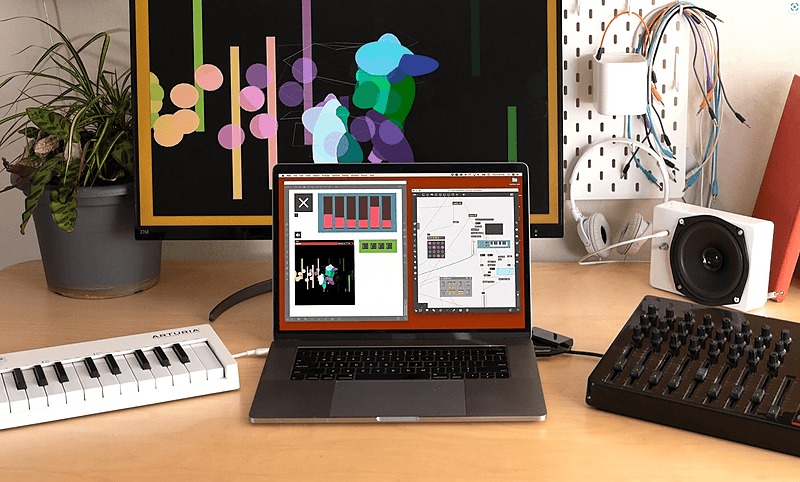
Max for Live is the most complete software for audio/visual professionals to build patches suitable for installation, experimental music, live lighting, and the web. If you can imagine it, you can build it. Taught by Music Ableton & Max Certified Trainer and industry expert Phelan Kane the course provides the latest skills, techniques and insight into creating unique devices and patches in Max For Live. With these skills, you will be able to create original devices/plug-ins to enrich your artistic voice and expand your possibilities.

Level

Beginner

Duration

Self-paced

Format

On-demand

Watch a preview

1:1 01 Max Vs M4L

Course overview

Learn Max For Live is a 6-week course of 12 live online classes, taught by Music Hackspace tutor, Ableton & Max Certified Trainer Phelan Kane. The course provides the necessary latest skills, techniques and first-hand industry insight into the methodology, workflow and tips and tricks to create unique devices and patches in Max For Live. With these tools you can create novel devices / plug-ins that no one else has access to which will empower you to create unique electronic music and create a novel artistic voice. The online course will consist of:
  • 12 x 2hr live online classes
  • All classes recorded for student use (during the course only)
  • Interactive group challenges & exercises
  • Music Hackspace Graduate Certificate of Excellence
  • 50% discount on your first year subscription to Music Hackspace
What Will I Get From This Course?
  • To provide a solid understanding of the basic concepts of using Max For Live for electronic music production
  • To exercise musical creativity via self built software devices
Learning Outcomes: On completion of this course a successful student will be able to:
  • Build unique devices within Max For Live, with an emphasis on musical creativity
  • Showcase a basic understanding of software device development with Max For Live
Who is this course for?

  • Musicians wanting to integrate custom interactive effects in Ableton Live
  • Interactive artists working with Max and Live
  • Max users looking to build and sell Max for Live devices

Requirements

  • A computer and internet connection
  • A web cam and mic
  • A Zoom account
  • Access to a copy of Ableton Live Suite (i.e. trial or full license. Max For Live is included in Suite)

Course content

Section 1

Session 1: Introduction to Constructing Devices

Recap: M4L vs Max • Presentation Mode • Encapsulation • Exercise: Managing Patches In M4L • 1:1 01 Max Vs M4L • 1:1 02 Beginning To Build A M4L Device • 1.1: 03 Saving M4L Devices • 1.1 04 Additional Learning Resources • 1.1 05 Presentation Mode.mp4 • 1.1 06 Encapsulation.mp4 • 1.1 .07 Abstractions.mp4 • 1.1 08 Using Comments.mp4 • 1.1 09 Data Management.mp4

+
  • Recap: M4L vs Max
  • Presentation Mode
  • Encapsulation
  • Exercise: Managing Patches In M4L
  • 1:1 01 Max Vs M4L
    Checking access...
  • 1:1 02 Beginning To Build A M4L Device
    Checking access...
  • 1.1: 03 Saving M4L Devices
    Checking access...
  • 1.1 04 Additional Learning Resources
    Checking access...
  • 1.1 05 Presentation Mode.mp4
    Checking access...
  • 1.1 06 Encapsulation.mp4
    Checking access...
  • 1.1 .07 Abstractions.mp4
    Checking access...
  • 1.1 08 Using Comments.mp4
    Checking access...
  • 1.1 09 Data Management.mp4
    Checking access...

Section 2

Session 2: Working with MIDI Effects

MIDI In M4L • Max MIDI Effects • Exercise: Building a MIDI FX sequencer in M4L • 1. Introduction to MIDI Notes • 2. MIDI Messages, Transposition, and Octaves • 3. Generating Random Scale Notes • 4. Timing and MIDI Effects • 5. Implementing a M4L Version

+
  • MIDI In M4L
  • Max MIDI Effects
  • Exercise: Building a MIDI FX sequencer in M4L
  • 1. Introduction to MIDI Notes
    Checking access...
  • 2. MIDI Messages, Transposition, and Octaves
    Checking access...
  • 3. Generating Random Scale Notes
    Checking access...
  • 4. Timing and MIDI Effects
    Checking access...
  • 5. Implementing a M4L Version
    Checking access...

Section 3

Session 3: Working with data

Connecting data sources to Max • Filtering and managing data • Exercise: Sonify Data

+
  • Connecting data sources to Max
  • Filtering and managing data
  • Exercise: Sonify Data

Section 4

Session 4: Building Max Synthesis Instruments

Oscillators • Envelope Generators • Basic Filters • Exercise: Building Max Synthesis Instruments • 1. Introduction to Oscillators • 2. MIDI input for Synths • 3. M4L Device Design • 4. Understanding Amplitude Envelopes • 5. Implementing Filters in Synths • 6. Working with LFOs _ A Final Mono Synth

+
  • Oscillators
  • Envelope Generators
  • Basic Filters
  • Exercise: Building Max Synthesis Instruments
  • 1. Introduction to Oscillators
    Checking access...
  • 2. MIDI input for Synths
    Checking access...
  • 3. M4L Device Design
    Checking access...
  • 4. Understanding Amplitude Envelopes
    Checking access...
  • 5. Implementing Filters in Synths
    Checking access...
  • 6. Working with LFOs _ A Final Mono Synth
    Checking access...

Section 5

Session 5: Building Max Synthesis Instruments part 2

Subtractive Poly Synth Build Methodology • Additive Osc Bank Build Methodology • Classic Wavetable Build Methodology • Exercise: Building Max Synthesis Instruments 2

+
  • Subtractive Poly Synth Build Methodology
  • Additive Osc Bank Build Methodology
  • Classic Wavetable Build Methodology
  • Exercise: Building Max Synthesis Instruments 2

Section 6

Session 6: Max Sampling Instruments

Samplers in Max • Triggering Wave Samplers • Triggering Groove Samplers • Exercise: Building Max Sampling Instruments

+
  • Samplers in Max
  • Triggering Wave Samplers
  • Triggering Groove Samplers
  • Exercise: Building Max Sampling Instruments

Section 7

Session 7: Max Audio Effects

Audio FX in M4L • Dub Delay Build Methodology • Chorus Build Methodology • Exercise: Building Max Audio Effects

+
  • Audio FX in M4L
  • Dub Delay Build Methodology
  • Chorus Build Methodology
  • Exercise: Building Max Audio Effects

Section 8

Session 8: Using Javascript v8 and Code Blocks

Introduce text based coding in Max • Using code blocks to optimise patches • Exercise: Optimise Project with Code Blocks

+
  • Introduce text based coding in Max
  • Using code blocks to optimise patches
  • Exercise: Optimise Project with Code Blocks

Section 9

Session 9: Working with ABL Objects

Ableton Sound for Max - Reuse powerful signal processing objects • Exercise:: Build custom chains for Max and Max for Live

+
  • Ableton Sound for Max - Reuse powerful signal processing objects
  • Exercise:: Build custom chains for Max and Max for Live

Section 10

Session 10: Enhancing Your Device & Deliverables

BPatchers • Styles • Help and Info View • Exercise: Deliverables

+
  • BPatchers
  • Styles
  • Help and Info View
  • Exercise: Deliverables

Section 11

Session 11: The LOM and the Live API

Intro to The Live Object Model • Live Object Properties • Live Object Functions • Exercise: Using the LOM

+
  • Intro to The Live Object Model
  • Live Object Properties
  • Live Object Functions
  • Exercise: Using the LOM

Section 12

Session 12: Summary & Presentation

Finalising devices • Distributing devices • Exercise: Student work presentation • Exercise: Peer feedback on student work

+
  • Finalising devices
  • Distributing devices
  • Exercise: Student work presentation
  • Exercise: Peer feedback on student work

Instructors

Phelan Kane and Umut Eldem

Phelan Kane and Umut Eldem

Instructor

Phelan Kane is a Berlin- and London-based music producer, engineer, and educator with over 30 years in the industry. He has collaborated with artists like Radiohead, Depeche Mode, and Moby. As an Ableton Certified Trainer since 2008 and a Max Certified Trainer since 2021, Phelan specializes in sound design, synthesis, and audio processing. He leads Meta Function, an audio software company known for innovative Max for Live devices. Umut Eldem is a composer, pianist, and researcher specialising in generative and intersensory art using Max/MSP. His work explores audiovisual spaces through algorithms that combine various interdisciplinary systems. Umut holds degrees in composition from Mimar Sinan State Conservatory in Istanbul and the Royal Conservatoire of Antwerp, where he is currently a Ph.D. researcher and educator. As a Max Certified Trainer, he conducts workshops on creative coding and audiovisual design, emphasising accessibility and inspiring creative experimentation.

Frequently asked questions

Who is this course for?

Musicians wanting to integrate custom interactive effects in Ableton Live Interactive artists working with Max and Live Max users looking to build and sell Max for Live devices

Requirements

A computer and internet connection A web cam and mic A Zoom account Access to a copy of Ableton Live Suite (i.e. trial or full license. Max For Live is included in Suite)