Creative Coding
Building audio FX in Gen
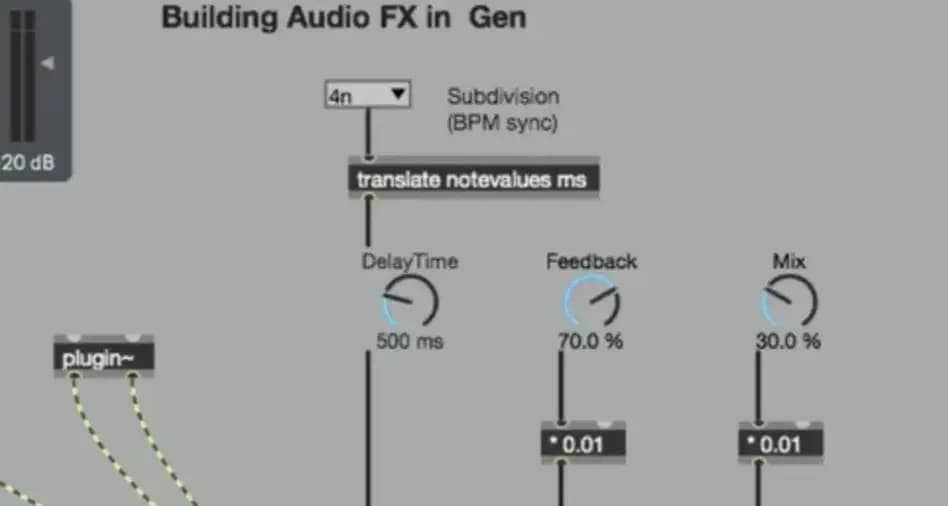
Construct audio effects in Max's Gen using key Gen objects, delay lines with feedback networks, parameter and property configuration, and LFO networks to drive flanger and chorus devices.
Course overview
In this workshop, you will explore tools and techniques to create bespoke audio FX tools in Gen via Max. Explore delay effects, circular buffers, modulation delays, LFOs, and multi-tap delays via a series of exercises. This workshop aims to enrich your musical output via the application of self-made audio FX and novel sound design techniques. Gen provides highly optimised audio processes that matches C++ and is the ideal technology for improving complex Max patches and free CPU.
Learning outcomes
Build delay line audio FX devices with feedback networks
Configure Gen parameters and properties
Add LFO networks for use in Flanger and Chorus audio FX devices
Who is this course for?
- • This course is for users with a previous knowledge on Max or Pure Data and some rudiments of digital audio and an interest in the creation of audio FX devices.
Requirements
- • A computer and Internet connection
- • A good working knowledge of computer systems
- • A basic awareness of audio processing
- • Good familiarity with MSP
- • Access to a copy of Max 8 (i.e. trial or full license)
Course content
Building audio FX in Gen
11 videos, 2 resources, 1 lesson
+
Building audio FX in Gen
11 videos, 2 resources, 1 lesson
- Overview
- Building Audio FX in Gen Download Link
Part 1 - Introduction
Checking access...Part 2 - Identify key Gen objects for audio FX devices 1
Checking access...Part 3 - Identify key Gen objects for audio FX devices 2
Checking access...Part 4 - Build delay line audio FX devices with feedback networks 1
Checking access...Part 5 - Build delay line audio FX devices with feedback networks 2
Checking access...Part 6 - Build delay line audio FX devices with feedback networks 3
Checking access...Part 7 - Build delay line audio FX devices with feedback networks 4
Checking access...Part 8 - Build delay line audio FX devices with feedback networks 5
Checking access...Part 9 - Configure Gen parameters and properties
Checking access...Part 10 - Add LFO networks for use in Flanger and Chorus audio FX devices 1
Checking access...Part 11 - Add LFO networks for use in Flanger and Chorus audio FX devices 2
Checking access...- Builiding Audio FX in Gen Max Patches
Instructors
Phelan Kane
Phelan Kane is a Berlin & London based music producer, engineer, artist, developer and educator. He is currently running the electronic music record label Meta Junction Recordings and the audio software development company Meta Function. He has released the Max for Live device synth Wave Junction in partnership with Sonicstate. http://metafunction.co.uk/ http://phelankane.com/bio/