Creative Coding
An Introduction to Visual Sensors
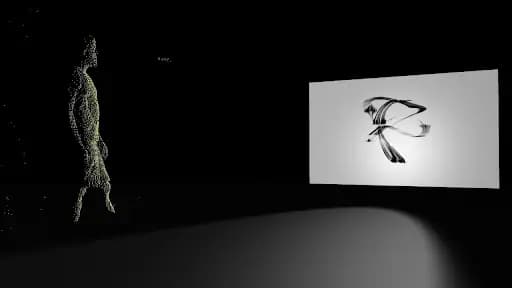
Working with the Kinect in TouchDesigner to track joint positions and bone rotations, and to use depth data, point clouds and blob tracking for sensor-driven interactive work.
Course overview
Attention: This workshop is Windows only.
TouchDesigner is a tool that gains popularity among musicians who want to create visuals for their music and do audio-visual experiments. In this workshop you will be guided through the integration of visual sensors into the TouchDesigner environment. We will work with Kinect in particular but the techniques will be applicable to other sensors as well.
Those without a Kinect sensor can follow the course by using provided recordings of sensor data. You will be able to play them back via Kinect Studio software, which will act as a sensor input for TouchDesigner. The main requirement for this course, however, is a Windows machine, as Kinect Studio is only supported on this platform.
Workshop will be led by Masha Rozhnova & Dániel Molnár
Function Store (Dániel Molnár) is a Berlin based artist and developer creating interactive installations and audio-visuals.
He has a software engineering background, focusing on TouchDesigner and related tools for the past two years and recently committing full-time to it.
He has interactive installations in various locations around Dubai in collaboration with Hybrid Xperience, is working with musicians to provide live visuals and digital content, and has a YouTube channel where he shares some of his secrets.
Learning outcomes
Explore data types provided by visual sensors
Understand how to use Player index, Skeleton and Point Cloud data
Create interactive visuals driven by sensors
Who is this course for?
- • For students who want to learn visual sensor systems
- • Getting to grips by using visual sensor data creatively
- • Students who will be utilizing data streams
- • Learn data input
Requirements
- • A Windows 8 or 10 PC with Internet connection
- • Kinect SDK 2.0 installed
- • A three button mouse
- • TouchDesigner version 2021.15800 installed (non-commercial suffices)
- • A webcam and mic
- • A Zoom account
Course content
Course Overview
1 resource, 2 lessons
+
Course Overview
1 resource, 2 lessons
- Workshop Files
Requirements
A Windows 8/10/11 PC with Internet connection
Kinect SDK 2.0 installed
TouchDesigner latest stable version installed (non-commercial license suffices)
Basic knowledge of TouchDesigner operators and interface. We expect you to know what each family of operators does and how to build simple networks. If you feel you might struggle with that, take a look at this short beginner course by Bileam Tschepe paying particular attention to Part 16 Instancing, as we will use this technique in the course
A three button mouse
Optional: Kinect v2 sensor
Make sure to download TD project file and Kinect data file prior to workshop (files will be shared shortly)
What you will learn in this course
This course aims to give you an introduction to visuals sensors in TouchDesigner for interactive audio visuals and installations with the focus on the Microsoft Kinect sensors. Kinect is the most frequently used sensor in TouchDesigner with good support. However the information and techniques shown in the workshop will be useful regardless of the hardware.
Session Learning Outcomes
Operate Kinect Studio software
Explore different types of Kinect sensors and understand where to find their documentation
Understand how to use Skeleton, Depth, Player index and Point Cloud data
Create interactive visuals driven by sensors
Session Study Topics
Kinect types
Working with Kinect Studio
Skeleton tracking with Kinect CHOP: visualizing joint positions and bone rotations
Kinect TOP: using depth data for triggering of events, making visuals with Kinect point clouds
An Introduction to Visual Sensors
8 videos
+
An Introduction to Visual Sensors
8 videos
Lesson 1: Setup
Checking access...Lesson 2: Tracking Joint Positions with Kinect CHOP
Checking access...Lesson 3: Tracking Absolute Bone Rotations with Kinect CHOP
Checking access...Lesson 4: Using Depth Data from Kinect TOP
Checking access...Lesson 5: Using Point Cloud Data from Kinect TOP
Checking access...Q&A 1: Using Blob Track TOP with Depth Data
Checking access...Q&A 2: Filtering out unknown Value Noise
Checking access...Q&A 3: Where to buy Kinect V2
Checking access...
Instructors
Masha Rozhnova
Dancing Pixels (Masha Rozhnova) is a London based artist who creates audio-visual performances and videos for musicians. For the past three years she has been using TouchDesigner as the main tool for content creation, show control and as an engine to enable interaction with the audience. She performed at Live Performers Meeting in Rome, at New River studios and Crux events in London.